
Replacing three tools with one claims system
USDA Forest Service · October – December 2021
Modernizing a legacy legal-claims application so staff could search, manage, and report on claims without outside software.

- ClientUSDA Forest Service
- My roleUX Strategist and UX Designer
- Team4: me, 1 developer, 1 SME, 1 product owner
- TimelineOctober – December 2021
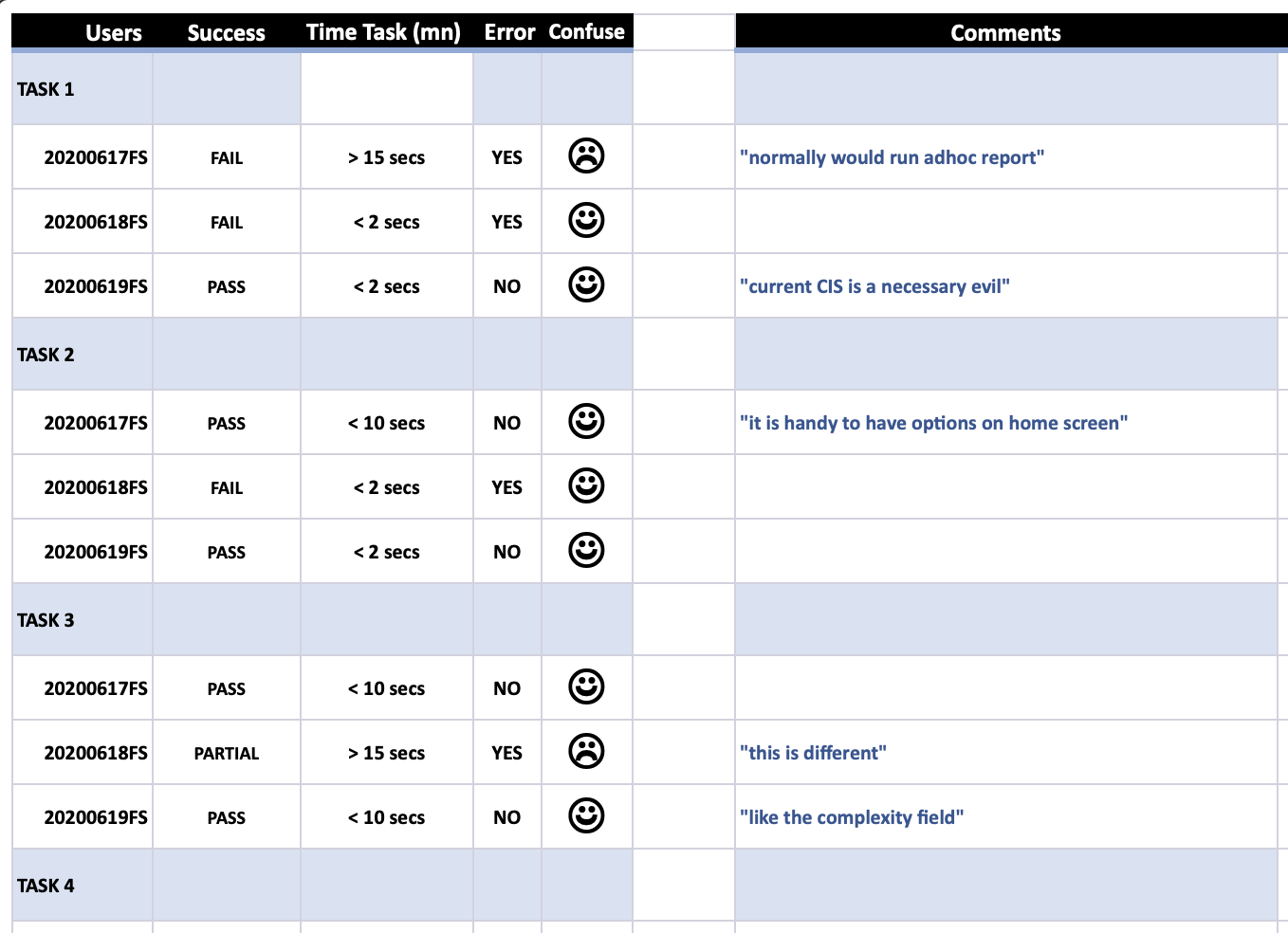
- Result: One system replaced the outside tools staff used for reporting; time to find a claim fell from >5min to <5sec in testing.
The business problem
Forest Service staff managed legal claim records in a legacy application that couldn't track or report on them. To get financial, geographic, and statistical claim data, they relied on manual workarounds and third-party software.
Slow search and scattered data created bottlenecks in high-stakes legal work.
Who I had to bring along
Claims staff
Fast search and reporting without leaving the system.
Subject matter expert
Legal and operational accuracy across the claim lifecycle.
Product owner
A prioritized backlog the developer could build in 2 sprints.
Front-end developer
Developer-ready specs consistent with the USDA brand.
What we learned
I ran remote contextual inquiries with staff, interviewed subject matter experts, and audited competitor platforms feature by feature.
Insight 01
Staff couldn't find or update claims easily
Evidence: contextual inquiry of daily workflows.
Insight 02
Basic reporting forced people into other tools
Evidence: observed three workarounds tools include excel with marcos and two seperate portals.
Insight 03
Competitors offered custom search and dashboards
Evidence: primary, secondary, and tertiary competitor audit.
The decision
Modernize screens one by one
Why it lost: kept data scattered.
Fix search only; keep outside reporting
Why it lost: the bottleneck stayed at the end of every task.
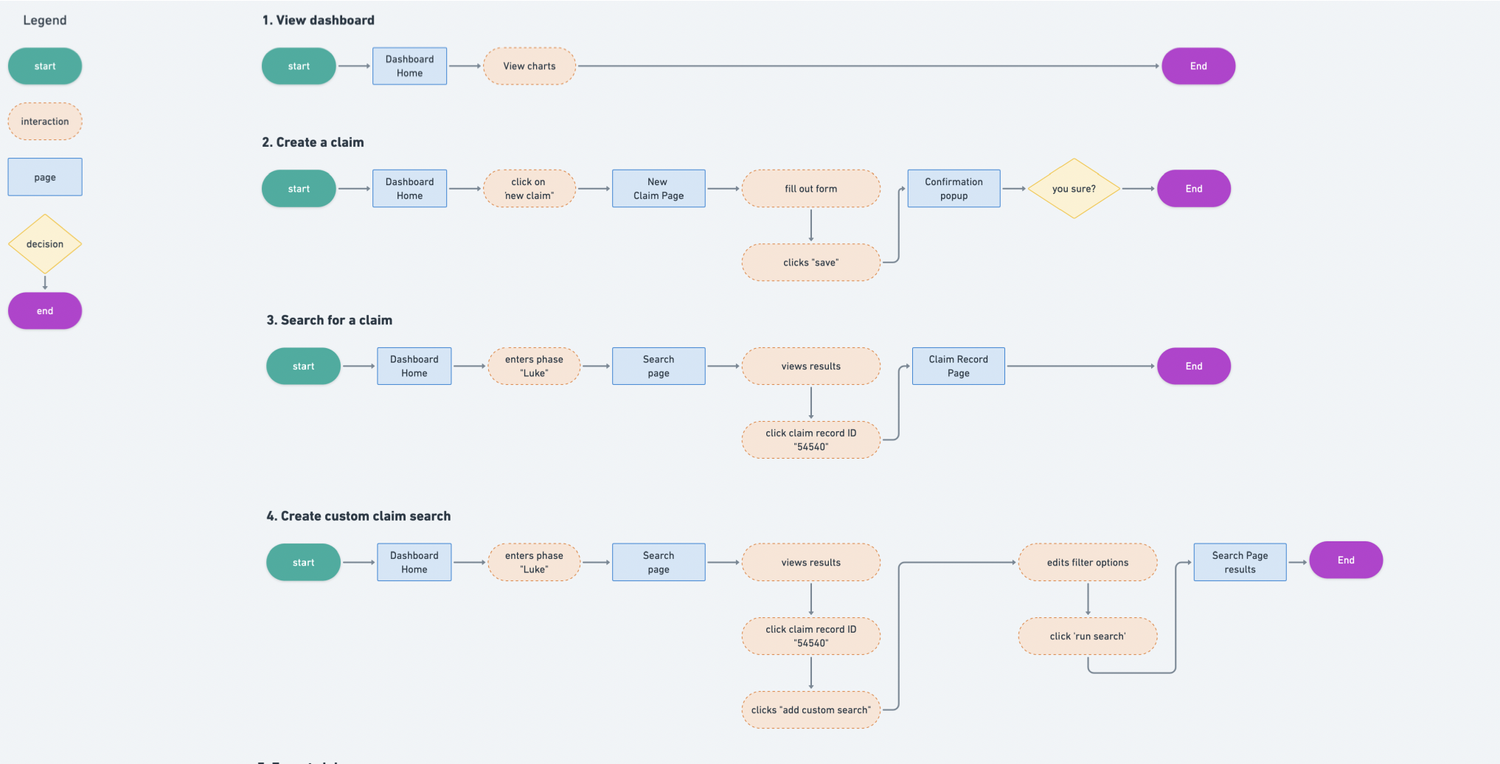
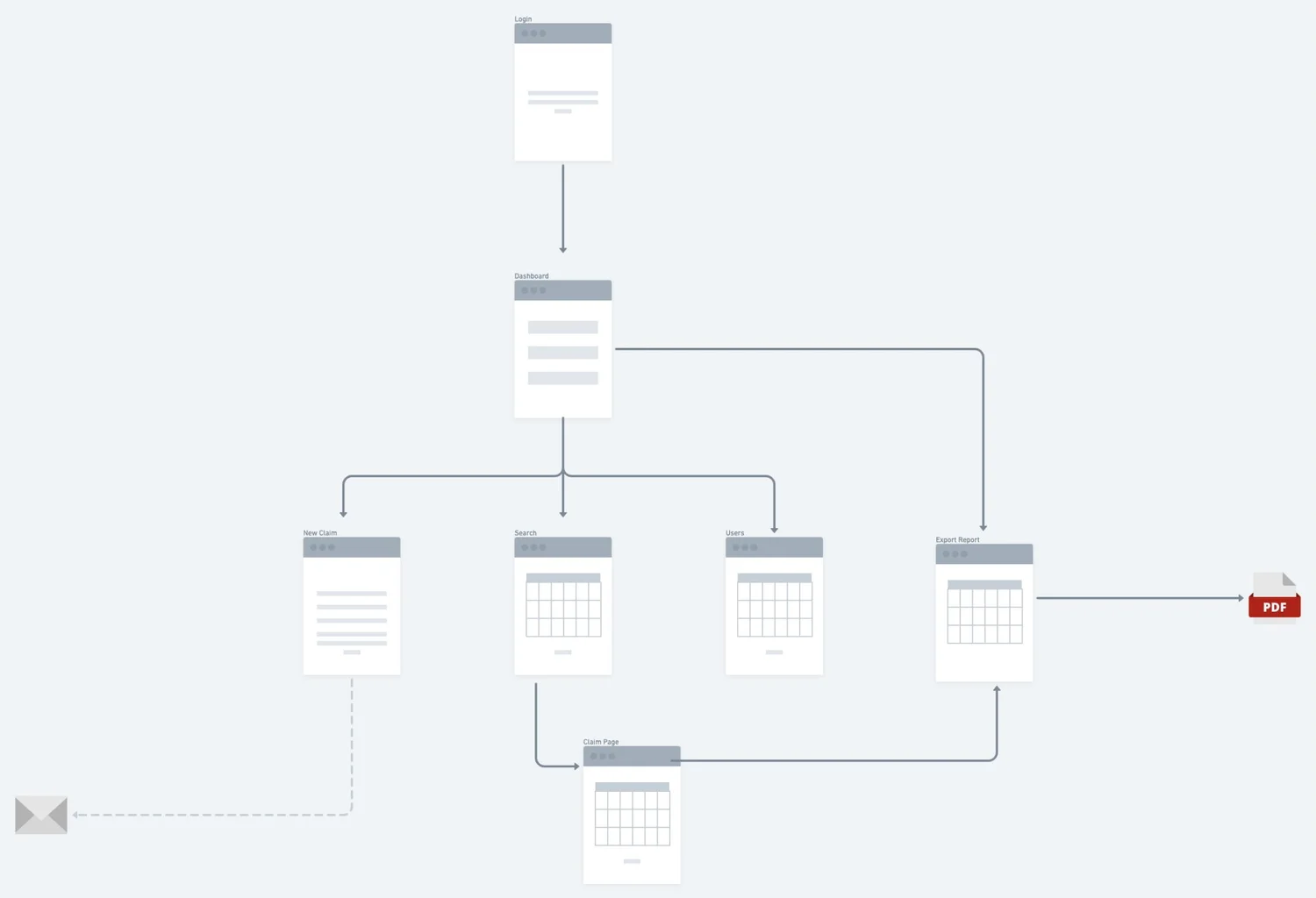
One system with built-in search, reporting, and dashboards
Every task started with finding a claim and ended with reporting on it.
How I got alignment
I turned the research into epics and user stories with acceptance criteria, then facilitated refinement workshops with the product owner to prioritize them. Each user goal was mapped to a business objective so stakeholders could confirm the order. The workshop identified key data needed at each stage of the claims workflow and ensured it is captured upfront.
What shipped
Before
- Reports built in third-party tools
- No intuitive claim search
- Unclear roles, no real-time updates
After
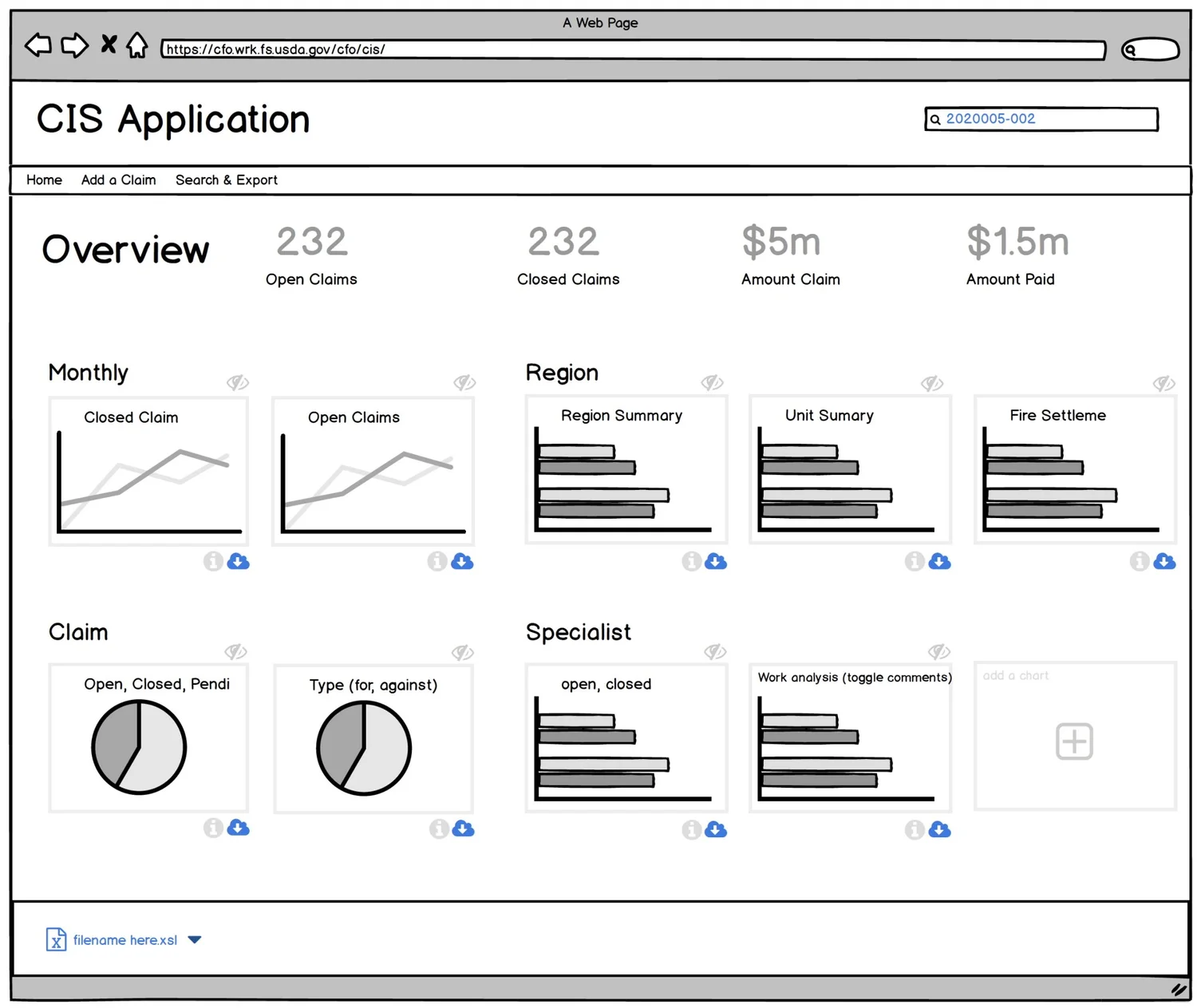
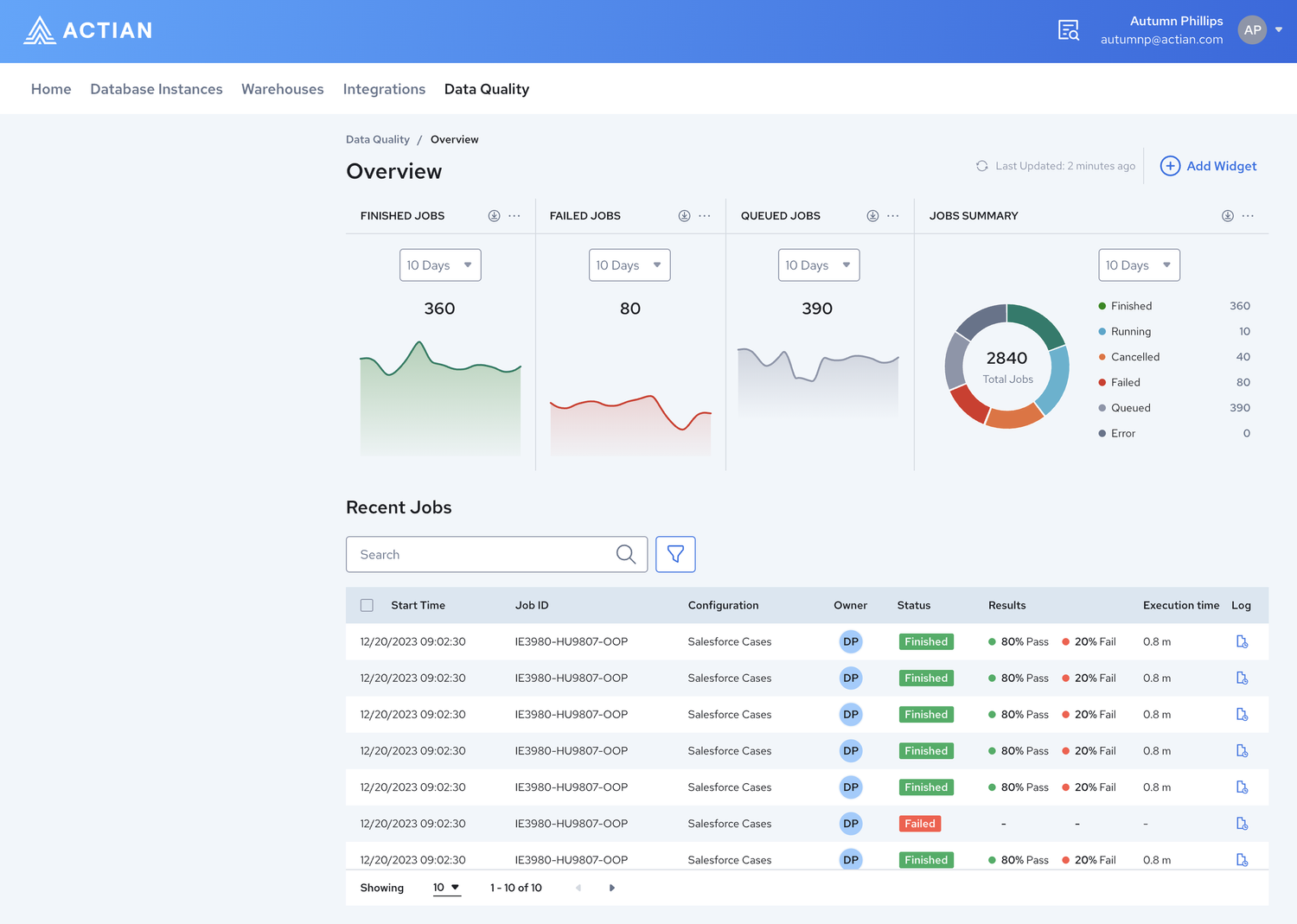
- Built-in reporting and data visualization
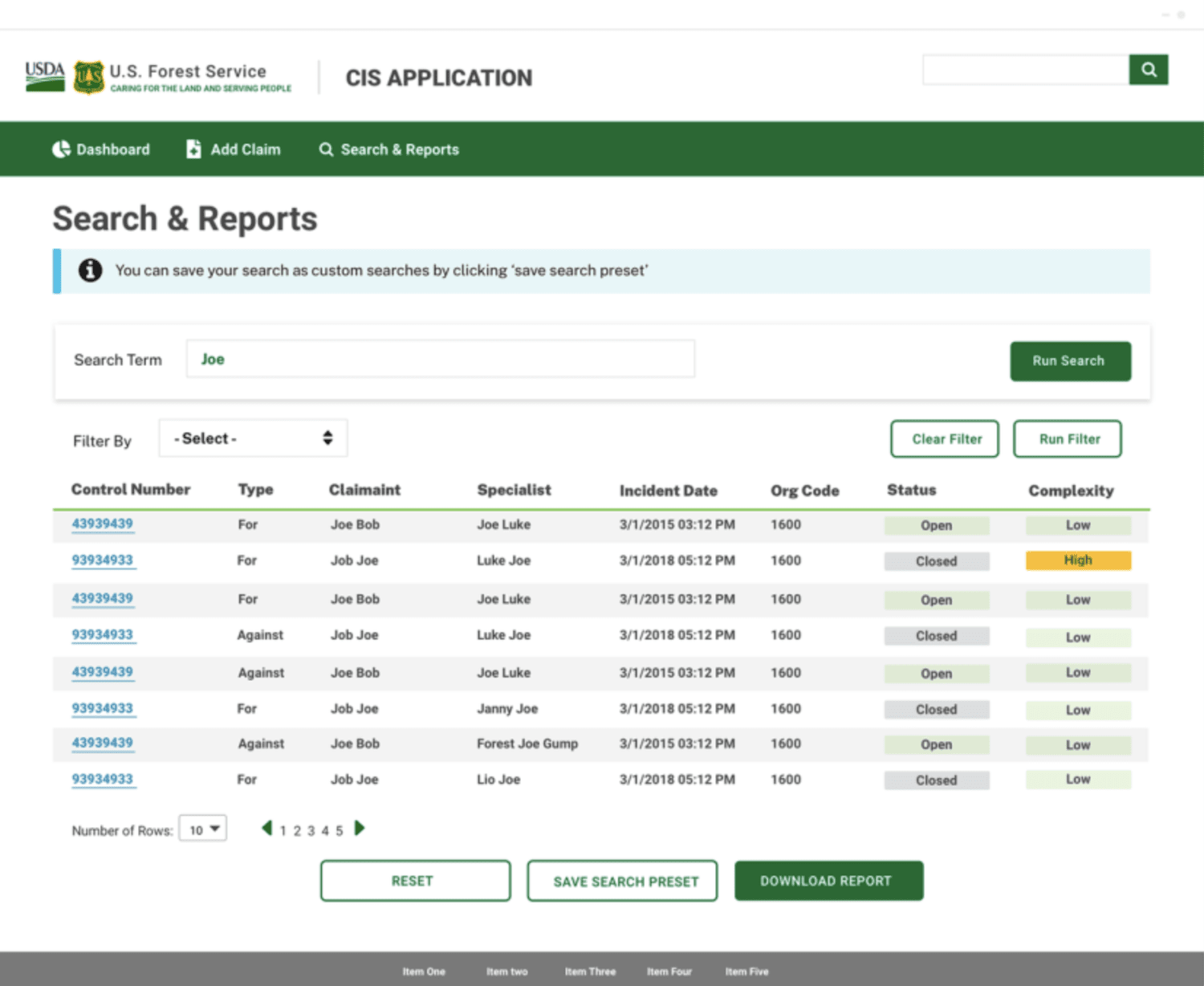
- Real-time search and filters
- One flow to import, update, and close claims
I moved from sketches to low-fidelity wireframes to interactive prototypes, then high-fidelity mockups in Sketch, with developer-ready specs.
Outcome
I validated the design in moderated usability sessions, using a structured research plan and test script. Staff valued search most for its speed and relevance, and responded well to built-in reporting.
What I'd do next
Measure time on task in production, not just in testing, and track how often staff still export to outside tools. Then extend the design system to the next workflow.
View other projects

Let's talk about your experience strategy.